Free
$0
Try the Studio on a stream you're cleared to clip.
- 3 clips a month
- Small watermark on each clip
- The free starter kit by email
Clip channel kit First genre: GTA VI
The Studio finds the best moments in a stream and makes the short in your browser. It won't make a clip until a permission is on file, and the recording never leaves your computer.
 Studiosample-stream.mp42:41:08
Interactive demo with sample data

Stand-in footage drawn by the page
No income promises. What you earn depends on the creators you work with, the campaigns you join and the work you put in. The demo uses made-up sample data, not a real stream or creator.
How it works
Start where the answer is already yes: paid clipping campaigns, creators who publish a clipping policy, and Creative Commons videos. Everyone else is a maybe until you ask. The guided path shows you where to look.
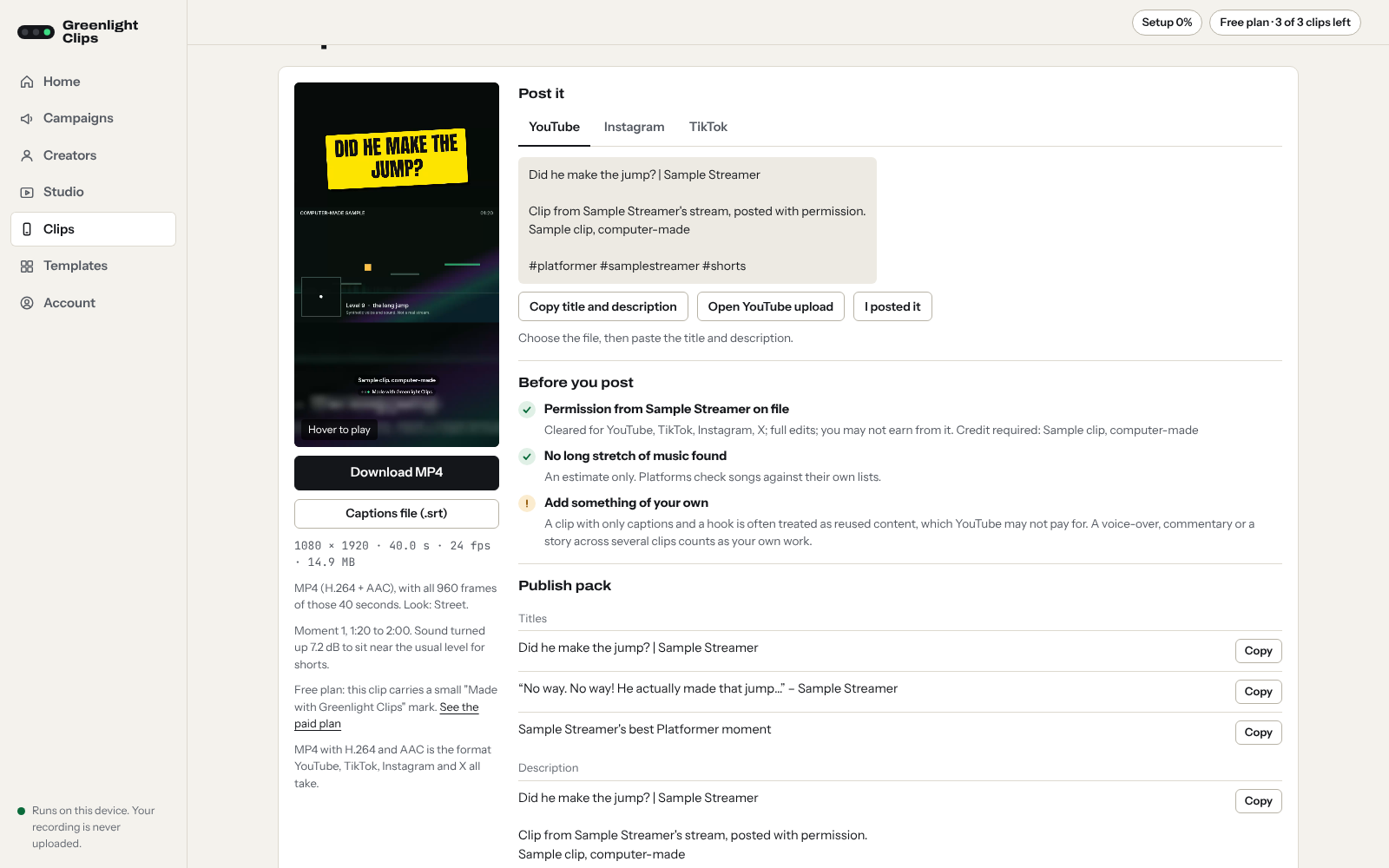
Ask with a short, specific message. The templates give you the wording. Save the yes in the Studio with the platforms it covers. No permission on file, no clip.
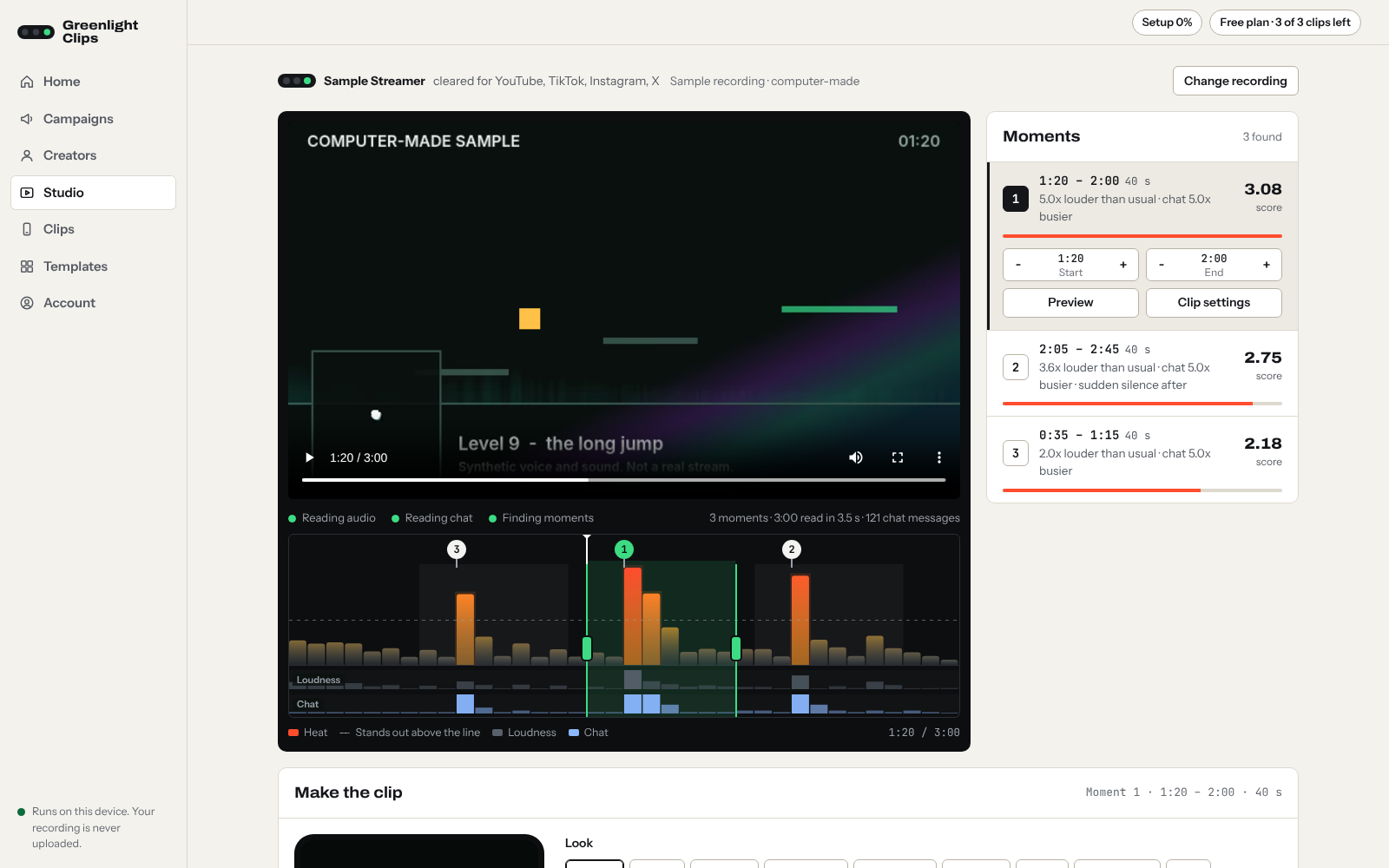
Open a recording in the Studio. It reads the loudness and the chat activity across the whole stream and draws the heat graph. Peaks are numbered, best first, each with the reason it was picked.
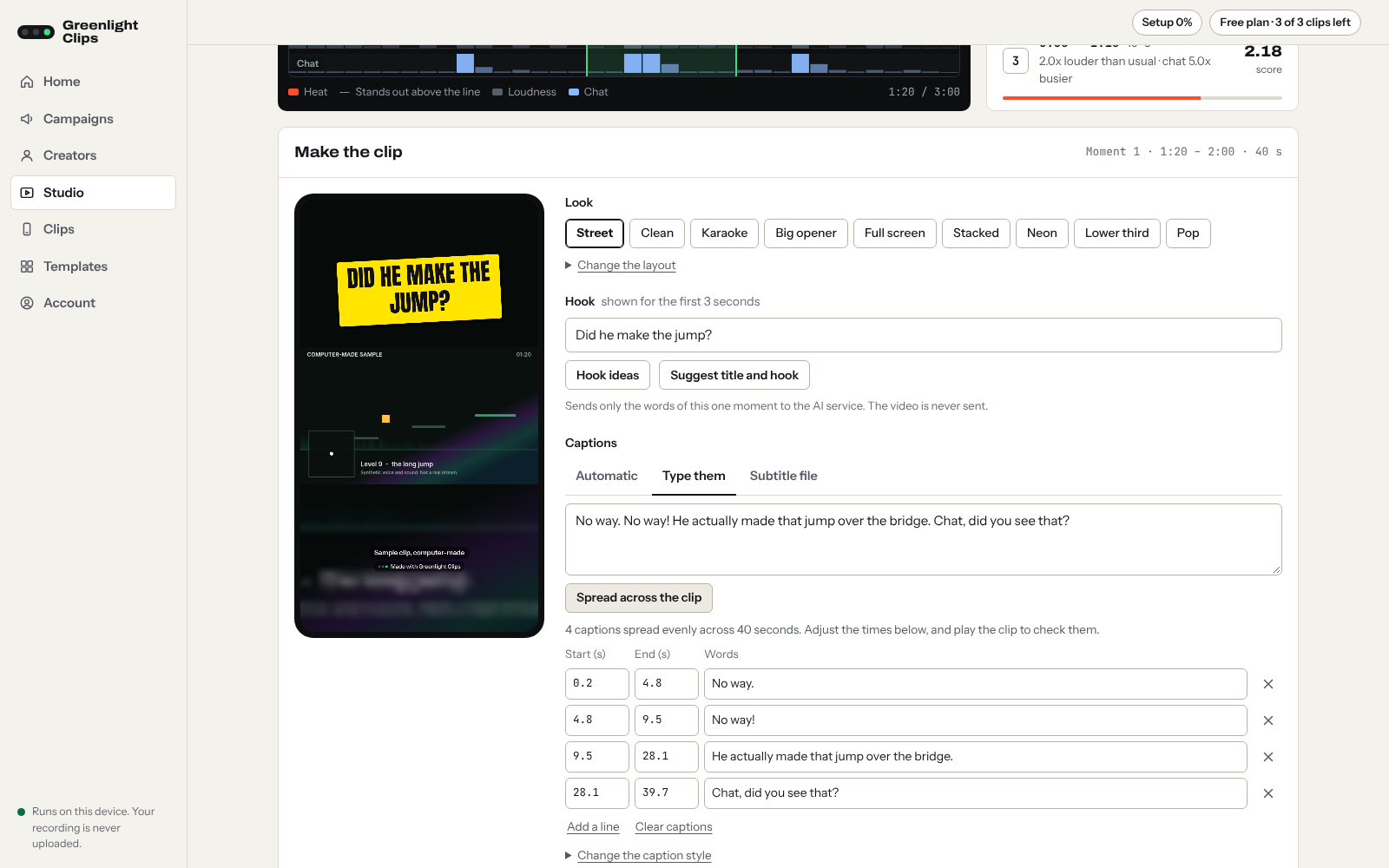
Pick a peak. The Studio cuts around it, reframes it to 9:16 and adds a hook and word-by-word captions. All of it happens on your computer; the recording isn't uploaded anywhere.
Inside the Studio
Open the Studio (free beta) Free plan: 3 clips a month with a small watermark.
Why permission matters
The streamer owns the broadcast and can have a repost removed. On YouTube a removal can count as a copyright strike, and enough strikes can end a channel.
A platform can decline to pay a channel made mostly of other people's footage. YouTube calls this reused content.
Takedowns from that creator stop being a risk, you have something to show if a clip is disputed, and you can work with creators who pay for clipping.
A creator or brand invites clippers and pays per thousand views, for example through Whop Content Rewards. Joining is the permission, within the rules of the brief.
You ask, and the creator or their manager agrees by email or message.
Some creators say clip channels are welcome in their channel description, panels or Discord.
Videos their owner has marked CC BY may be reused with credit. Check the uploader really owns the footage.
Not permission: the Clip button on a platform, "everyone clips this streamer", or a credit in your caption. A streamer's yes also doesn't cover everything in a stream, such as music, and each platform has its own rules. This is general information, not legal advice.
Pricing
$0
Try the Studio on a stream you're cleared to clip.
$50 USD, once, plus tax where it applies
The whole kit for one payment.
This is a pre-sale. The tool isn't open yet.
Founding sales are closed for nowFull refund on request at any time before the tool opens, and for 14 days after it opens.
Monthly Price announced before your included months end
The Studio, month to month.
By application
For people who would rather have it set up for them.
To apply, write to the contact address at the foot of this page and tell us which genre you want to clip.
No income promises. Campaigns pay at rates their owners set, budgets run out and results vary a lot. The kit shortens the setup and removes guesswork; it doesn't guarantee that you earn anything.
After the included months, the tool continues on a monthly plan only if you choose to stay. The monthly price will be announced before your included months end, and nothing is charged automatically. See the terms of sale.
Questions
Something else? Write to us.
Clipping with the creator's permission is the safe starting point, and this kit is built around it: campaigns where the creator invites clippers, creators who publish a clipping policy, and creators who say yes when asked. Permission from the streamer doesn't cover everything in a stream, such as music or other people's content, and each platform has its own rules. Permission also doesn't guarantee a platform will pay you: YouTube, for example, can refuse to pay channels made mostly of reused footage. This isn't legal advice.
We can't promise that. Campaigns pay per thousand views at rates the creator sets, budgets run out, and results vary a lot. The kit shortens the setup and removes guesswork; it doesn't guarantee income.
On purchase you get the guided path and templates. Course lessons arrive as they're finished. The tool isn't open yet. Your included months start the day it opens.
No. The Studio runs in your browser and reads the recording on your own computer. The file isn't sent to us.
No. You clip other creators' streams, with their permission.
A computer with a recent browser, and accounts on the platforms you'll post to. You supply the recording file yourself, for example from the creator or the campaign. Stream recordings are large, so analysing one can take a while.
Yes. Ask at any time before the tool opens, or within 14 days after it opens, and you get a full refund.
A short guide to clipping with permission: how campaigns work, where to find creators who are more likely to say yes, and a message template to start from.
We use your email only for this. See the privacy page.
Greenlight Clips9 pages
The Starter Kit: clipping with permission
General information, not legal advice. Nothing in it promises income.